
Altitude+
Altitude Sports & Entertainment, LLCSports
3.5396.00 Reviews
- Version
- Varies With Device
- Installs
- 10.00K
- Age Rating
- Everyone
Screenshots
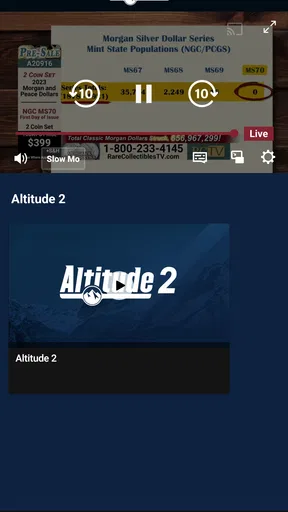


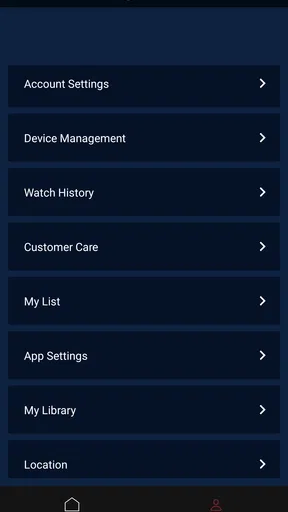

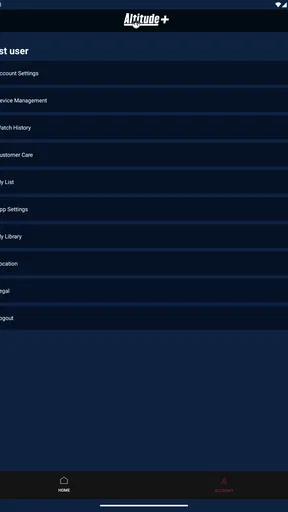


Our Review of Altitude+
 Analysis by Appyee
I approach sports-streaming apps with a simple question: can I get to the coverage I want without turning game night into a troubleshooting session? Altitude+ is Altitude Sports’ streaming app, developed by Altitude Sports & Entertainment, LLC. That makes it a focused option for people who already follow the network, rather than an all-purpose sports hub. My overall impression is that its appeal depends less on having every league in one place and more on whether its particular coverage is what you want to watch.
What to expect when opening the app
Streaming performance is hard to judge from the app’s purpose alone, so I wouldn’t assume that a quick launch guarantees a smooth live game. In practice, the useful test is whether the app gets you from opening it to the event you want with little fuss, then stays watchable when the action matters. A live broadcast also depends on your connection and device, so I’d check the experience on the network and screen I plan to use before relying on it for a big evening.
The app is free to download, but that doesn’t mean every viewing option is free: in-app purchases range from about $20 to $200 per item. I’d look carefully at what a purchase covers before committing, especially if I only want to watch occasionally. Its sports focus is a strength when Altitude is the coverage you’re seeking, but a limitation if you expect a broad bundle of unrelated sports from a single subscription.
How it fits into a real game night
For a realistic use case, imagine getting home shortly before a game and wanting to put it on while preparing dinner. I’d open the app early enough to find the event and check playback, rather than waiting until the opening moments. That small buffer is useful with any live-streaming service: it gives me time to sort out a sign-in or connection snag without missing the start.
Altitude+ is most compelling for viewers who already look to Altitude Sports for coverage and want a dedicated way to stream it. If your sports routine is spread across several networks, a larger streaming bundle or the services tied to those networks may be a better fit. I’d compare the actual events I watch, not just the number of sports named in a plan, because a wide catalog is less valuable than reliable access to the games I care about.
Speed, stability, and practical checks
I’d judge speed by the parts that affect viewing: how quickly the app opens, how many steps it takes to find the desired event, and whether playback settles into a steady picture. Those are more useful checks than expecting every sports app to behave identically. If a stream struggles, I’d first test the same connection with another video service and close other bandwidth-heavy activity at home; that helps distinguish an app issue from a crowded or weak network.
Heavy-use moments deserve a little planning. Live sports can be less forgiving than on-demand viewing because pausing to troubleshoot may mean missing play, so I’d sign in and confirm access before the event rather than during it. If I’m watching away from home, I’d also consider whether the connection is stable enough for sustained video, instead of assuming that a brief signal check guarantees a full game will run smoothly.
Who should look elsewhere
This is not the obvious choice for someone who wants a single app to cover a wide mix of sports, or for a viewer who only watches a few games and is sensitive to recurring costs. The purchase range makes it especially sensible to verify the terms of the option being offered before buying. I’d also avoid treating a sports-streaming app as a replacement for every source of scores, highlights, and general sports news; a focused broadcaster app serves a different purpose from a broad sports portal.
Altitude+ has an average rating of 3.9 from around 700 ratings, which suggests a mixed rather than universally enthusiastic reception. I take that as a reason to check whether its particular coverage matches my habits, not as a verdict on every viewing setup. The app has over 10,000 installs and is rated for Everyone, but those figures don’t tell me how it will perform on a specific phone or home network.
My performance verdict
My practical recommendation is conditional: if Altitude Sports is already central to what you watch, this app is worth considering as a dedicated route to that coverage. If your priority is the broadest sports library, a different service is likely to suit you better. I’d test it on the device and connection I actually plan to use, confirm the cost of the viewing option, and decide based on whether finding and watching the relevant coverage feels straightforward.
Because live playback uses a screen and a network for an extended stretch, I’d keep a charger nearby for a long game and avoid assuming every older or low-storage device will feel equally responsive. If playback is interrupted, reopening the app and checking the connection are sensible first steps, though I wouldn’t count on a particular recovery behavior without testing it. For me, the best reason to install it is a clear match between Altitude’s coverage and my viewing routine—not the promise of a universal sports package.
Getting Started with Altitude+
Downloading Altitude+ was a breeze. Available on both Android and iOS, it took just a few taps to get it up and running. As soon as I opened the app, I was greeted with a sleek and intuitive interface. It’s the kind of app that doesn’t make you scratch your head, trying to figure out where everything is.
The setup process was pretty straightforward. The app asked for some basic information like my age, weight, and fitness goals. There’s something about setting these parameters that makes you feel like you’re already halfway to achieving your goals. Plus, it syncs seamlessly with wearable devices, which is perfect if you don’t want to manually input data every day.
Features That Stand Out
One of the first things I noticed is the altitude tracking feature. If you’re into hiking or any outdoor activities, this will be your new best friend. It doesn’t just track your steps or calories but also how high you’re climbing. It’s a neat way to add some extra motivation to your outdoor adventures.
Another cool feature is the social aspect. You can connect with friends and create groups to challenge each other. It’s like having a workout buddy without having to coordinate schedules. The app sends reminders and notifications, so you’re always in the loop about your friend’s activities. Trust me; nothing pushes you more than seeing your buddy getting ahead in a challenge!
For those who love a bit of competition, Altitude+ hosts monthly challenges. These are great for keeping up your motivation levels. Whether it’s a step challenge or a height challenge, there’s always something to keep you engaged.
Usability and Design
Let’s talk about the design. The developers nailed it with a clean and minimalistic layout. The colors are easy on the eyes, and navigation is a breeze. Everything is where you expect it to be, which makes the user experience pleasant and frustration-free.
The app is also incredibly responsive. It loads quickly, and I didn’t encounter any bugs or crashes, which is a big plus in my book. The last thing you want is an app that freezes when you’re trying to log your workout data.
Performance and Reliability
Performance-wise, Altitude+ is top-notch. Throughout my testing phase, it consistently delivered accurate tracking data. The GPS is precise, and the altitude readings are on point, which is crucial if you’re serious about your fitness goals.
The app also doesn’t drain your battery, a common issue with many fitness apps. I was pleasantly surprised that even after a full day of tracking, my phone still had plenty of juice left.
What Could Be Improved?
No app is perfect, and Altitude+ has its areas for improvement. While the app offers a free version, some of the more advanced features are locked behind a subscription. It’s not a deal-breaker, but it’s something to consider if you’re on a budget.
Additionally, while the social features are great, it would be nice to see more integration with other social media platforms. Sharing achievements on platforms like Instagram or Facebook directly from the app would be a fantastic addition.
Wrapping It Up
Overall, Altitude+ is a fantastic app for anyone looking to add a little more zing to their fitness routine. It’s perfect for outdoor enthusiasts and those who are driven by data and social motivation. The app is user-friendly, reliable, and packed with features that will keep you coming back for more.
So, if you’re ready to take your fitness journey to new heights, give Altitude+ a try. You might just find it to be the perfect companion on your path to better health. Happy climbing!
Verdict
Strengths of Altitude+
- Intuitive user interface design.
- Wide range of tracking features.
- Seamless integration with wearables.
- Customizable alerts and notifications.
- Offline mode available for remote areas.
Limitations of Altitude+
- Limited free version features.
- Occasional sync issues with devices.
- Requires constant GPS for accuracy.
- High battery consumption during use.
- Premium version can be costly.
Similar Picks in This Category
View All
BeSoccer: Soccer Live Score
BeSoccer apps4.3

Cricbuzz - Live Cricket Scores
Cricbuzz.com3.7

NFL
NFL Enterprises LLC2.4

Da Fit
MO YOUNG LIMITED3.6

ESPN
Disney4.5

LiveScore: Live Sports Scores
LiveScore Limited4.5
Frequently Asked Questions
What is Altitude+ and what does it offer?
Altitude+ is a cutting-edge fitness app designed to enhance your workout experience by incorporating altitude simulation. It offers features like customizable workout plans, real-time tracking, and virtual altitude settings to help users improve endurance and performance. Whether you're a beginner or an athlete, Altitude+ provides tailored programs to meet your fitness goals.
How does the altitude simulation work in Altitude+?
Altitude+ uses advanced algorithms to simulate high-altitude environments. By mimicking reduced oxygen levels, it aims to improve cardiovascular efficiency and endurance. Users can adjust altitude levels to match their fitness needs, providing a unique training experience that can be beneficial for athletes preparing for high-altitude events.
Is Altitude+ suitable for beginners?
Absolutely! Altitude+ is designed for all fitness levels. Beginners can start with lower altitude settings and gradually increase as they build stamina. The app offers guided tutorials and personalized workout plans to help newcomers safely and effectively enhance their fitness journey, making it accessible and beneficial to everyone.
Does Altitude+ require any additional equipment?
No additional equipment is required to use Altitude+. The app is designed to provide a complete experience using just your smartphone. However, for those interested in tracking more detailed metrics, integrating with compatible wearables can enhance the data accuracy and provide deeper insights into performance.
Are there any subscription fees for Altitude+?
Altitude+ offers a free version with basic features, but for advanced functionalities like personalized coaching and detailed analytics, a subscription is required. The app provides various subscription plans to cater to different budgets, ensuring users can choose a plan that fits their needs and enhances their training experience.
